How to find recordings on your phone


1. Look for the “Files” app on your phone
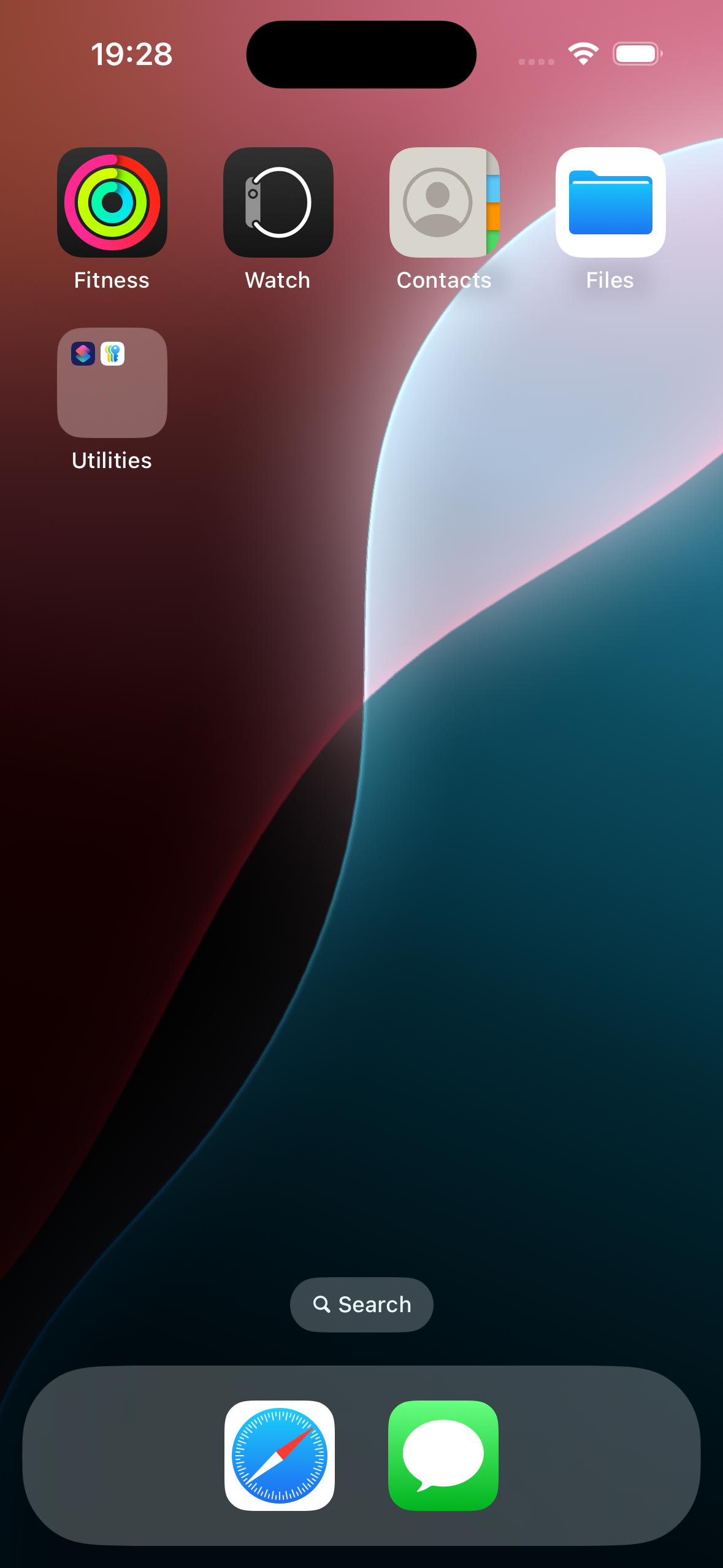
iPhone home screen with app icons for Fitness, Watch, Contacts, Files, Utilities folder, and bottom dock with Safari and Messages apps

2. Tap on “Browse” at the bottom right

3. Then tap on “On My iPhone” under “Locations” towards the top
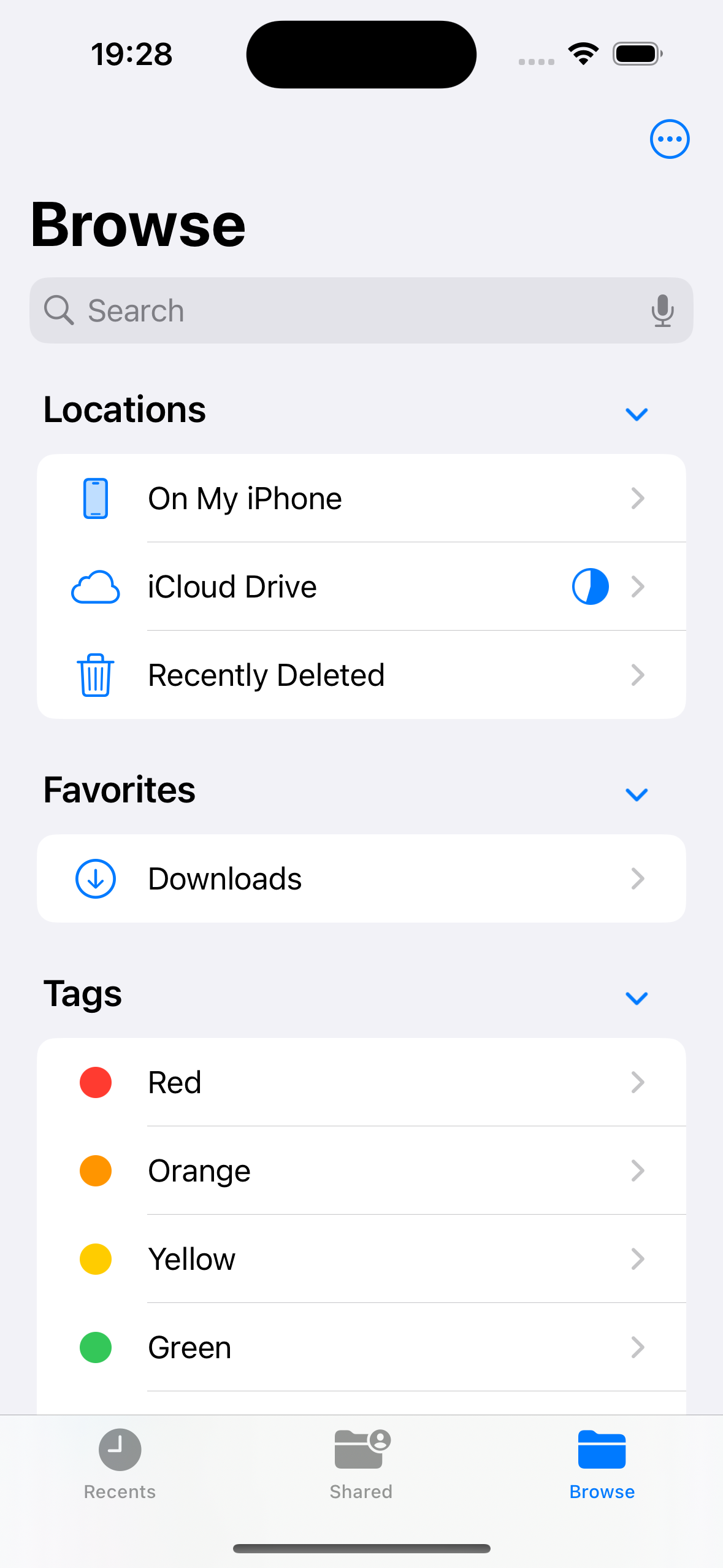
Screenshot of a mobile device's file browsing app, showing categories like Locations, Favorites, and Tags, with options such as On My iPhone, iCloud Drive, Recently Deleted, Downloads, and tags for Red, Orange, Yellow, and Green.

4. Tap on “Neatly” to open that folder
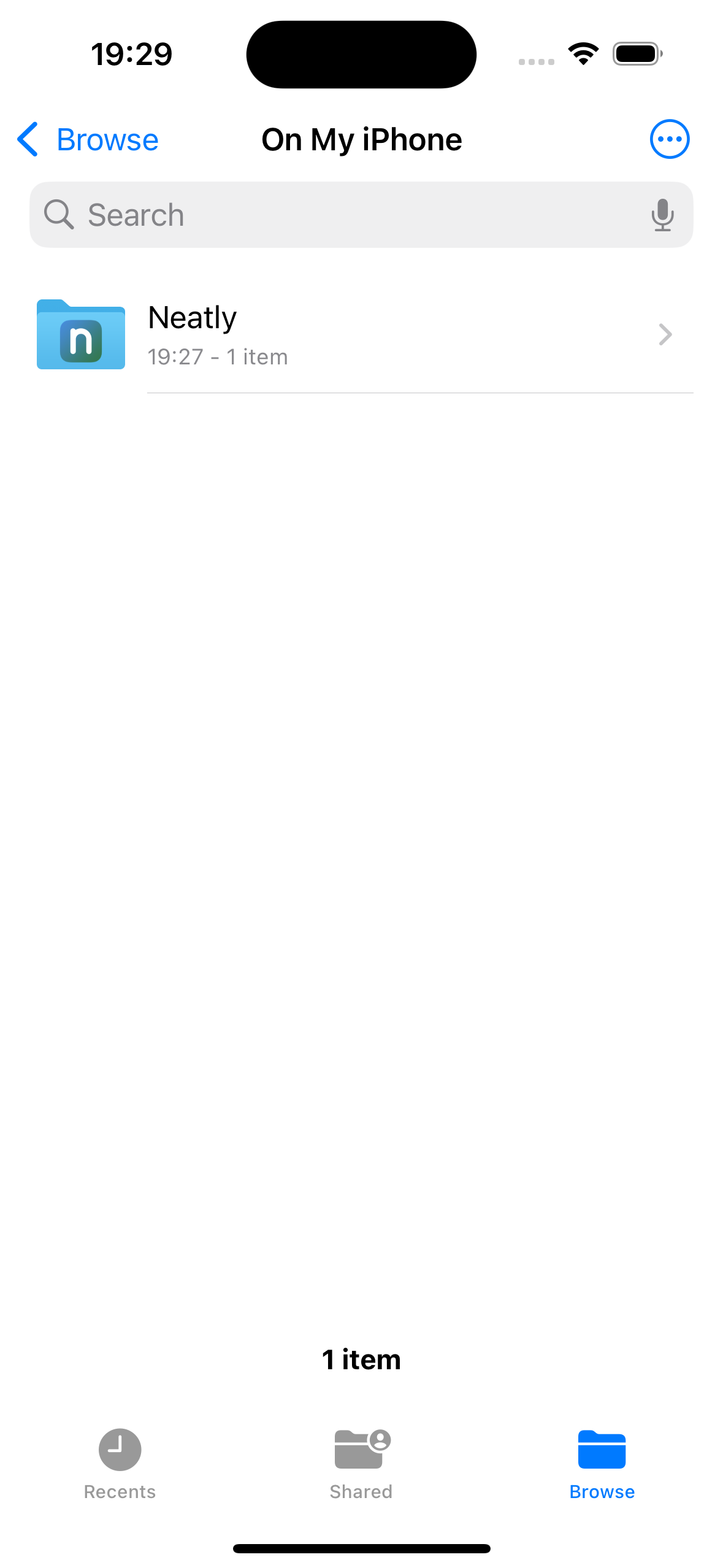
Screenshot of a folder named 'Neatly' on an iPhone's file manager.

5. Tap on “NeatlyRecordings” to open that folder
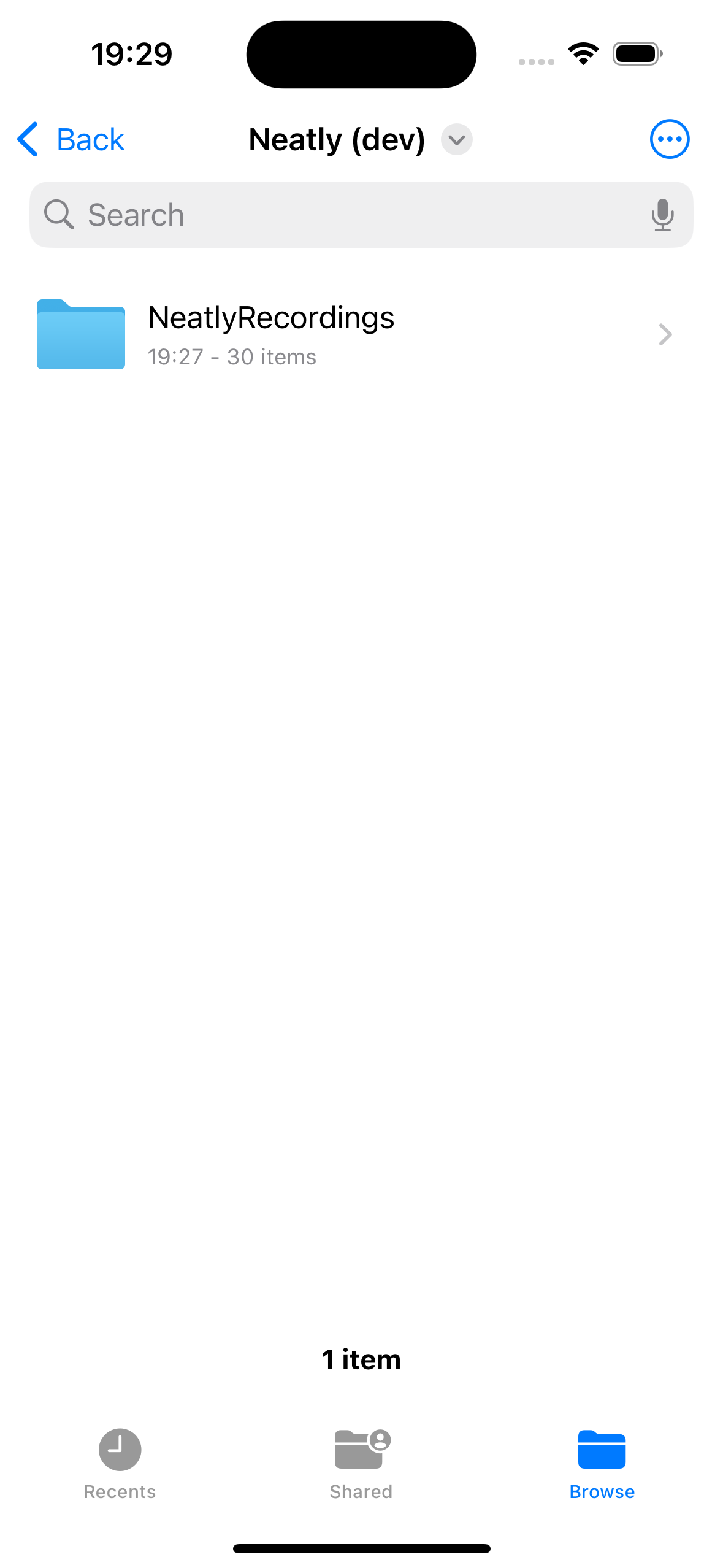
Screenshot of a mobile phone file explorer showing a folder named 'NeatlyRecordings' with 30 items, located in a directory titled 'Neatly (dev)'.

6. You should see a listing of all recordings on your phone
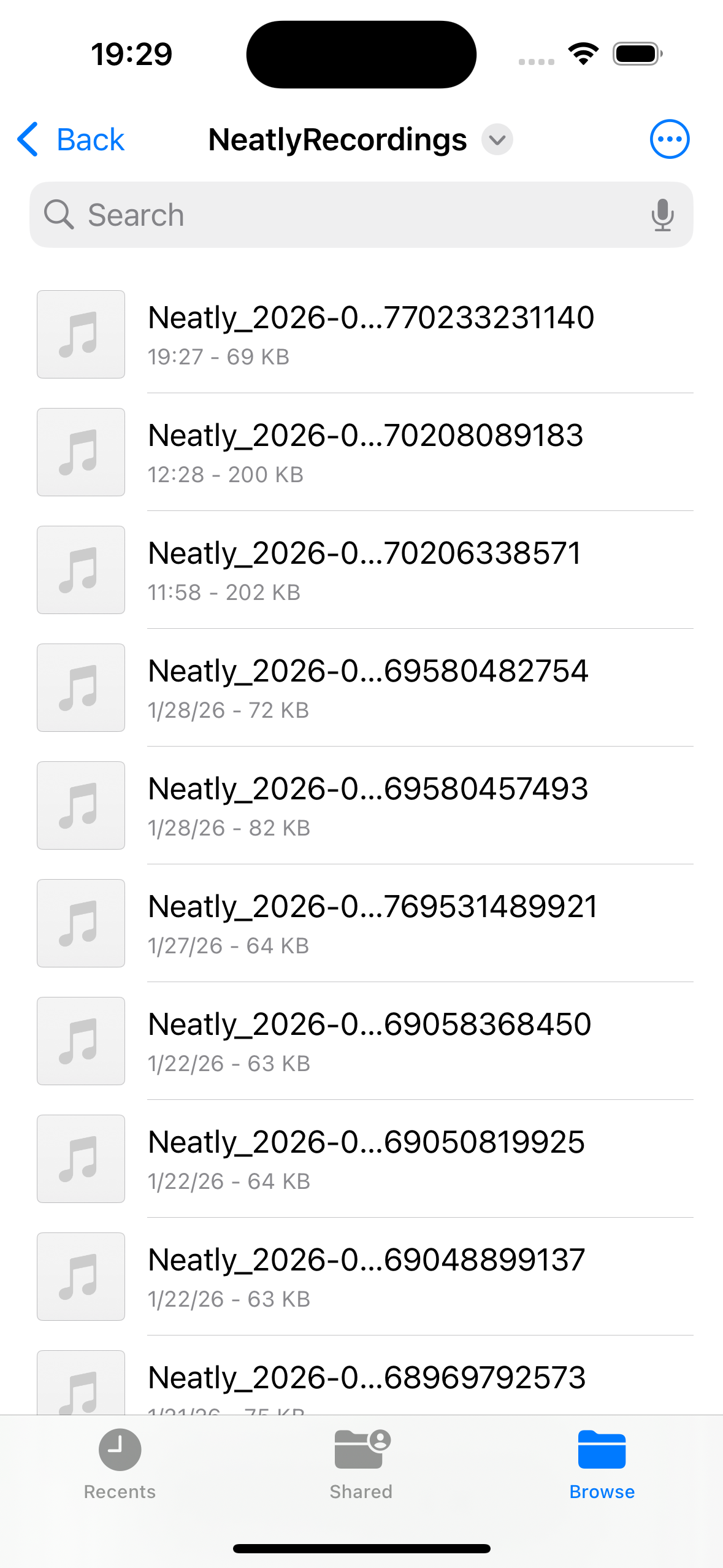
Screenshot of a phone folder named "NeatlyRecordings" containing multiple audio files with similar names, such as "Neatly_2026" with various numbers, displayed in list view.